Branding · A practical guide
Brand Identity for Startups: What to Build Before You Launch
Before launch, a startup needs a clear offer, a recognisable visual identity and a practical way to apply both wherever customers meet the business. Start with your audience and positioning, then develop the logo variations, colours, typography, messaging and launch materials you will actually use. Agree the editable files and usage rights before commissioning the work.
In this article
Give the identity a clear job
The right scope depends on how you sell. A jewellery startup needs product presentation and packaging decisions early. An architecture practice may need project images, a website and a proposal template first. Build around those real situations so your budget goes into assets that help customers understand and choose you.
Positioning defines the audience, the need you serve and the reason someone should consider your offer. Visual identity gives that position a recognisable form. Customer experience makes the promise tangible through the product, website, conversations and delivery. These decisions need to agree with each other.
Write one plain sentence describing who you help, what you provide and what makes the experience useful. Support it with something you can demonstrate, such as a defined process, a relevant product feature or an available service. Broad claims about quality give a designer little direction.
Use customer questions to shape the brief
Speak with likely customers and review existing enquiries. Ask what prompted the search, which alternatives they considered, what felt confusing and what evidence they needed. Save their exact phrases separately from your interpretation. A conversation can uncover useful questions without proving that every buyer thinks the same way.
- Audience — describe the situation, buying role, location and language that affect the purchase.
- Alternatives — record how customers currently solve the problem, including doing it themselves.
- Difference — identify a useful distinction you can explain and support.
- Personality — choose a few qualities and show how each affects wording or design.
- Message — agree the offer description, supporting proof and next step.
Make voice guidance usable. If the business is warm and precise, write examples for a product description, a first enquiry reply and a delayed order. Adjust the tone to the customer’s situation while keeping the voice recognisable. Mailchimp’s published guide demonstrates this distinction. Mailchimp’s voice and tone guidance
Define the system beyond the logo
A usable identity answers the everyday questions your designer, developer and suppliers will ask. Specify these deliverables before comparing proposals.
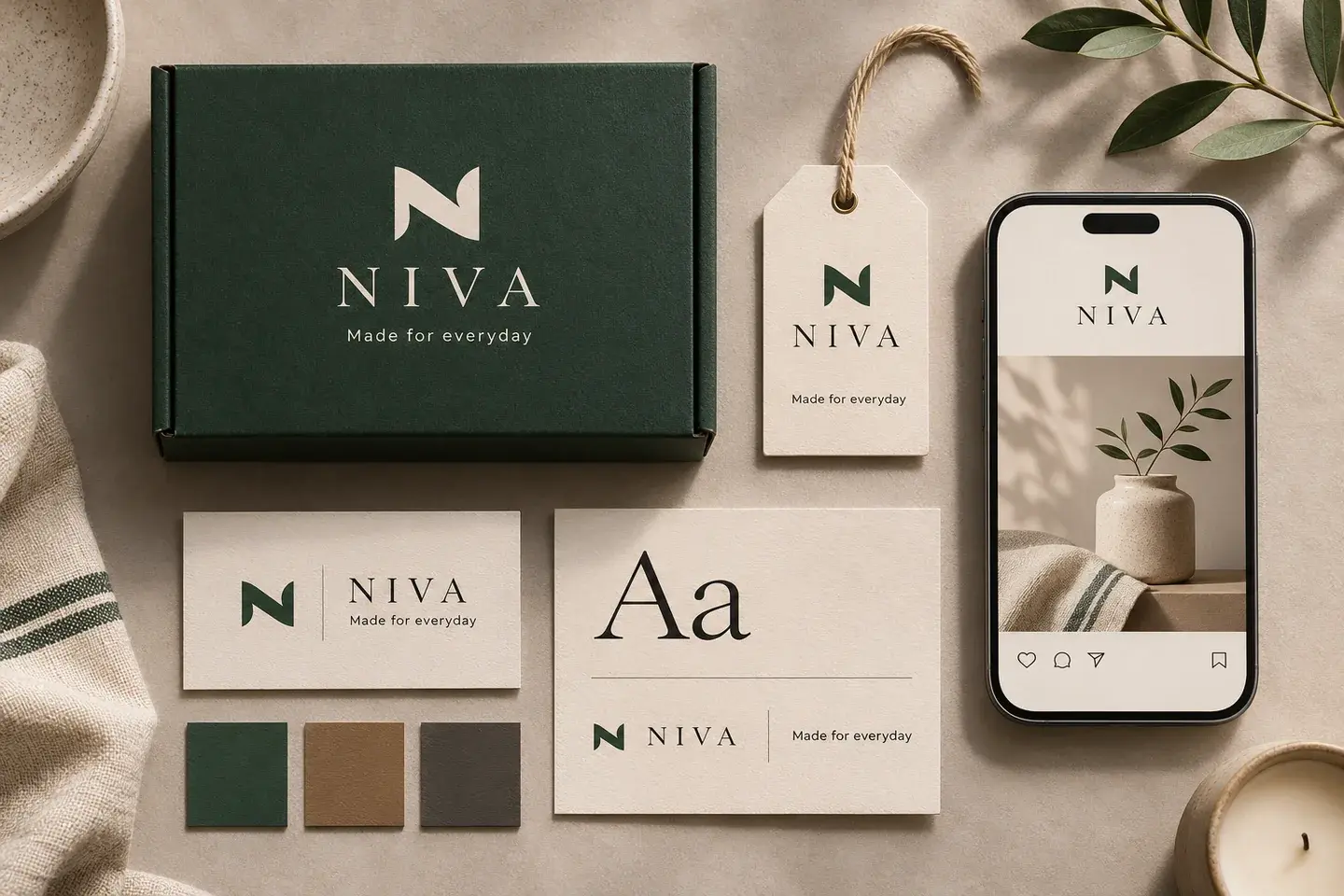
- Logo variations — a primary arrangement, a compact alternative and an icon where needed, with light, dark and single-colour versions.
- Typography — heading and body families, weights, hierarchy and any required Indian-language support.
- Colour roles — backgrounds, text, accents and approved combinations, with values for relevant screen and print workflows.
- Imagery — examples for composition, lighting, backgrounds and how actual products or work should appear.
- Messaging — the business description, useful product or service language, and examples of the agreed voice.
- Guidelines — spacing, minimum usable sizes, colour combinations and common applications.
Review the logo at social-profile size and in a website header. Check longer product names and real prices in the chosen typeface. If your audience reads Hindi or Punjabi, test the actual scripts alongside English before approving the typography.
Test readability before approving the palette
A palette becomes useful when the team knows which colour pairs work for text. Check navigation, descriptions, prices and buttons on their intended backgrounds. Under WCAG 2.2 Level AA, normal text needs a contrast ratio of at least 4.5 to 1, while qualifying large text needs at least 3 to 1. Document approved pairs in the guidelines. W3C’s text contrast guidance
Review a phone-sized layout with real content. Decorative lettering may suit a short headline while descriptions need a more readable treatment. Use the actual printer’s material and proofing process for packaging colours, because a screen preview alone cannot confirm the finished appearance.
Apply the identity to the buying journey
- Direction
Audience, positioning and a clear promise.
- Identity
Logo variations, type, colour, imagery and voice.
- Applications
Website, packaging, social posts and listings.
- Handover
Files, licences, templates and practical guidelines.
An illustrative workflow. Applications and production files depend on the agreed scope.
| Application | What to prepare | What to check |
|---|---|---|
| Website | Header, offer description, product or project page and enquiry form | Customers can understand the offer and read the next step on a phone. |
| Packaging | Required panel content, logo placement and supplier specifications | Product details remain readable and the supplier has approved the artwork requirements. |
| Social content | Profile image and a few editable content templates | Real captions and varied image crops fit without redesigning every post. |
| Marketplace listings | Accurate product photos, product information and permitted brand assets | The assets follow the selected marketplace’s current category and image rules. |
Scroll across to compare every column.
Give each application a purpose. A product image should explain the item accurately. A service proposal should make scope and next steps easy to find. Request production-ready packaging files explicitly and agree specifications with the supplier before approval.
Choose what you need now and what can wait
List the places a customer will encounter the business during launch. Fund those applications first and agree who will maintain them. This keeps the scope tied to a practical business need.
| Prepare for launch | Add when there is a clear use |
|---|---|
| Audience, positioning and offer description | Broader research as the audience expands |
| Logo variations, type and colour rules | An extended illustration or motion system |
| Website and essential sales materials | Templates for events, recruitment or additional channels |
| Packaging for a physical-product launch | Further formats when those products are planned |
| Brief guidelines and an organised handover | More detailed governance as more teams create content |
Scroll across to compare every column.
Ask the designer to explain the business use of each deliverable. Keep working elements of an existing identity when they still suit the audience and applications. Agree optional work separately so the launch budget remains visible.
A connected launch in practice
Kiraq Jewellery’s documented Kraftt project brought together a brand identity, a custom storefront, store administration and social setup. Its published material includes a brand-guideline system, colours, collection presentation and a product page with a WhatsApp ordering flow. The administration tools support updates to products, descriptions and pricing.
Review the storefront and product journey alongside the guidelines to see how the identity works in everyday applications. This connects the approved design with the pages and materials the team uses after launch.
Agree the handover before design begins
Put the final deliverables and responsibilities in the proposal. Confirm source formats, editing software, review rounds, approval steps and included usage rights. Ask who controls shared design accounts and how your team will receive the files.
A practical handover checklist
- Logo variations supplied in the agreed vector and transparent-image formats.
- Editable sources and final exports clearly named and separated.
- Colour values, type families, weights, language coverage and usage examples documented.
- Font, stock-image and other third-party licences identified, with ongoing costs recorded.
- Templates tested by the person who will update them.
- Ownership, permitted use and restrictions stated in the agreement.
- A backup of final files and access details held by the business.
Font access deserves a specific check. For example, Adobe says a client editing a design with live Adobe Fonts needs their own licence, and its subscription fonts cannot simply be packaged and transferred with a design file. Confirm the licence for your chosen font and intended editing and website use. Adobe Fonts licensing FAQs
Review real applications and avoid expensive rework
Common problems start with approving a logo on an attractive mockup before testing it in use, leaving copy until the website is built, or receiving templates the team cannot edit. A trend-led visual direction can also become difficult to maintain when ordinary product photos arrive.
Assign one person to consolidate feedback. Compare revisions against the audience, message and agreed applications. Describe the problem precisely, such as a product name becoming unreadable on mobile. Keep one current source folder and record approved changes so suppliers use the same version.
Before your identity goes live
- The offer description names the customer, the product or service, and the next step.
- Real text and images fit the website, profile images and essential templates.
- Text colours and sizes have been checked on mobile.
- Product imagery represents what the customer will receive.
- Packaging artwork has the required supplier and business approvals.
- The team can open, edit and export the handover files.
- Someone owns updates and can answer customer questions in the agreed voice.
A few more questions
Frequently asked questions
Can we launch with a simple identity?
Yes. A clear offer, usable logo variations, readable type and colours, and a small set of relevant applications can support an early launch. The scope should reflect what customers will see and what your team can maintain.
Should branding happen before the website?
Agree the audience, message and essential visual choices before detailed website design. Develop the identity and website content together where useful, then test the system on real pages before final approval.
What does Kraftt’s starter branding package include?
For India projects, Brand Starter starts at ₹12,000 INR and includes competitor research, positioning and audience work, a primary/secondary/icon logo suite, a primary palette, typography, and voice and tone guidance. A separate guidelines document, social profile kit and packaging concept are listed as add-ons. Confirm scope and revisions in your proposal. See Kraftt’s branding packages
Does a packaging concept include manufactured packaging?
Kraftt’s listed branding packages cover design work. Discuss production artwork, supplier coordination, printing and manufacturing separately, and have the proposal identify the files and responsibilities included.